

Rationalising A Mesh On Zbrush
Posted: January 31, 2026
Post subject: Rationalising A Mesh On Zbrush
Post subject: Rationalising A Mesh On Zbrush
Hello. I am exporting a mesh from Rhino so that I can add detail in Zbrush. The attached ref shows the mesh in Zbrush with and without the mesh visible. You can see the size of the ripples that I want to add and how they are distorting a little because of polycount is too low.
Can anyone recommend a workflow which will give me a clean mesh whilst keeping the border? You will see that the mesh is made of 3 section and I'd like those to be joined.
Here is what I did to get the result attached.
Export from Rhino as a obj. With polygon mesh toggled on and points welded.
Import into Zbrush with quads and triangles.
ZRemesh with a target polycount of 30 and freeze border toggled on.
Using a standard brush with Z intensity of 23 and draw size of 4.
Many thanks.
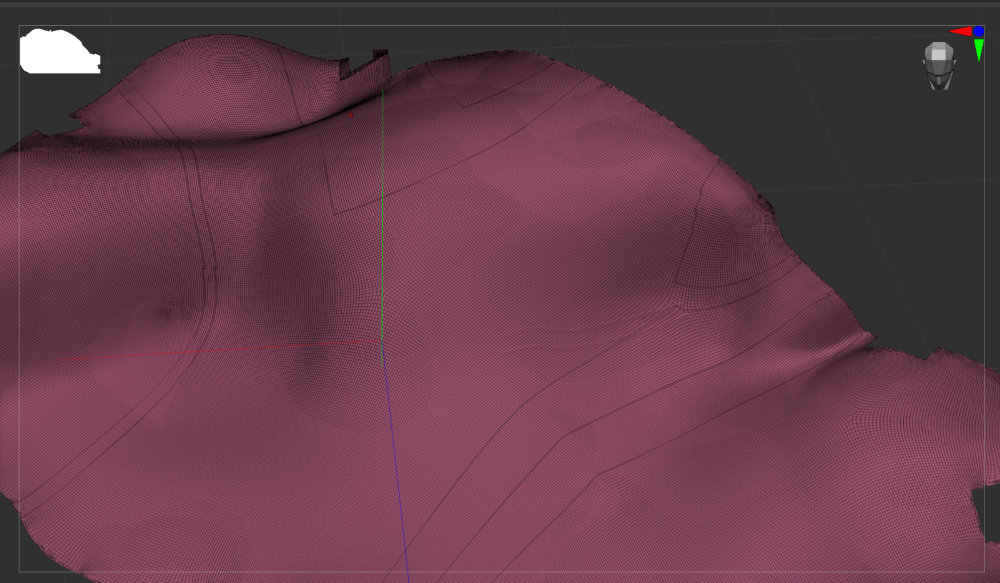
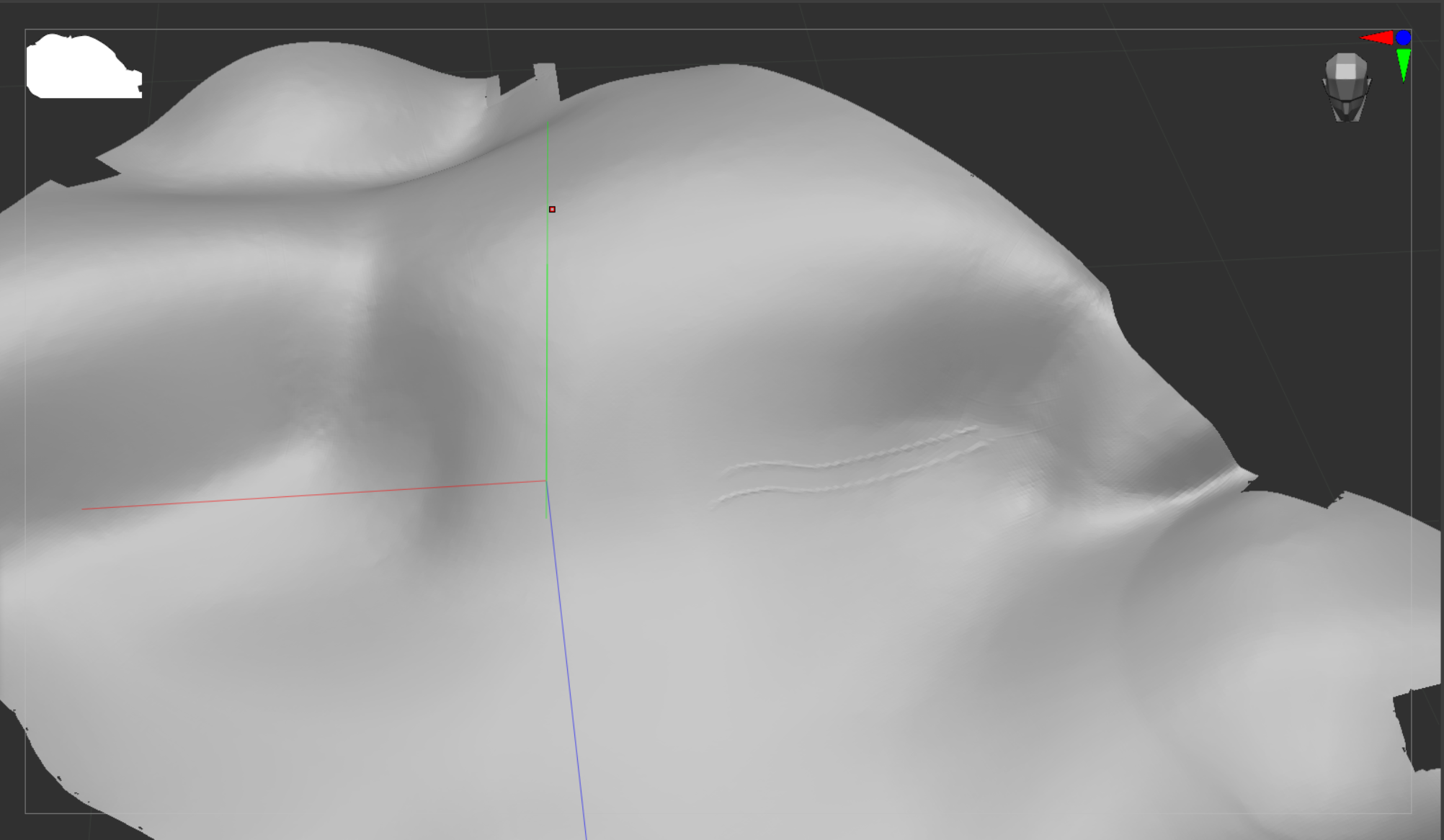
Can anyone recommend a workflow which will give me a clean mesh whilst keeping the border? You will see that the mesh is made of 3 section and I'd like those to be joined.
Here is what I did to get the result attached.
Export from Rhino as a obj. With polygon mesh toggled on and points welded.
Import into Zbrush with quads and triangles.
ZRemesh with a target polycount of 30 and freeze border toggled on.
Using a standard brush with Z intensity of 23 and draw size of 4.
Many thanks.