

Yet Another Minotaur
Posted: June 07, 2012
Post subject: Yet Another Minotaur
Post subject: Yet Another Minotaur

Here is an old low poly minotaur 3d model that I always wanted to make High poly.
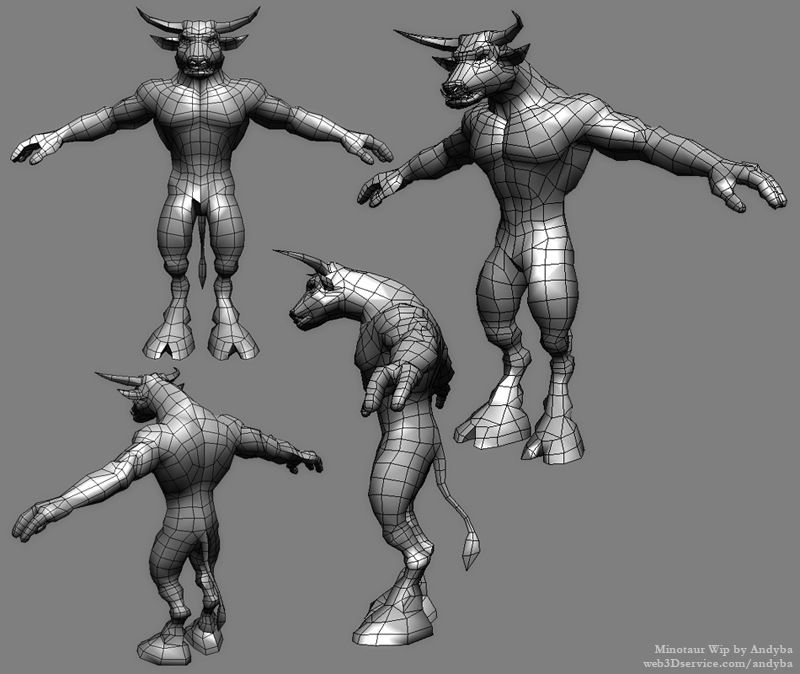
So here is the start. I first made it all quads and added more edge loops in blender, then I started sculpting the details also in blender. But soon I noticed that sculpting in blender doesn't handle as many polygons as mudbox so I switched to mudbox and here is what I have at the moment.
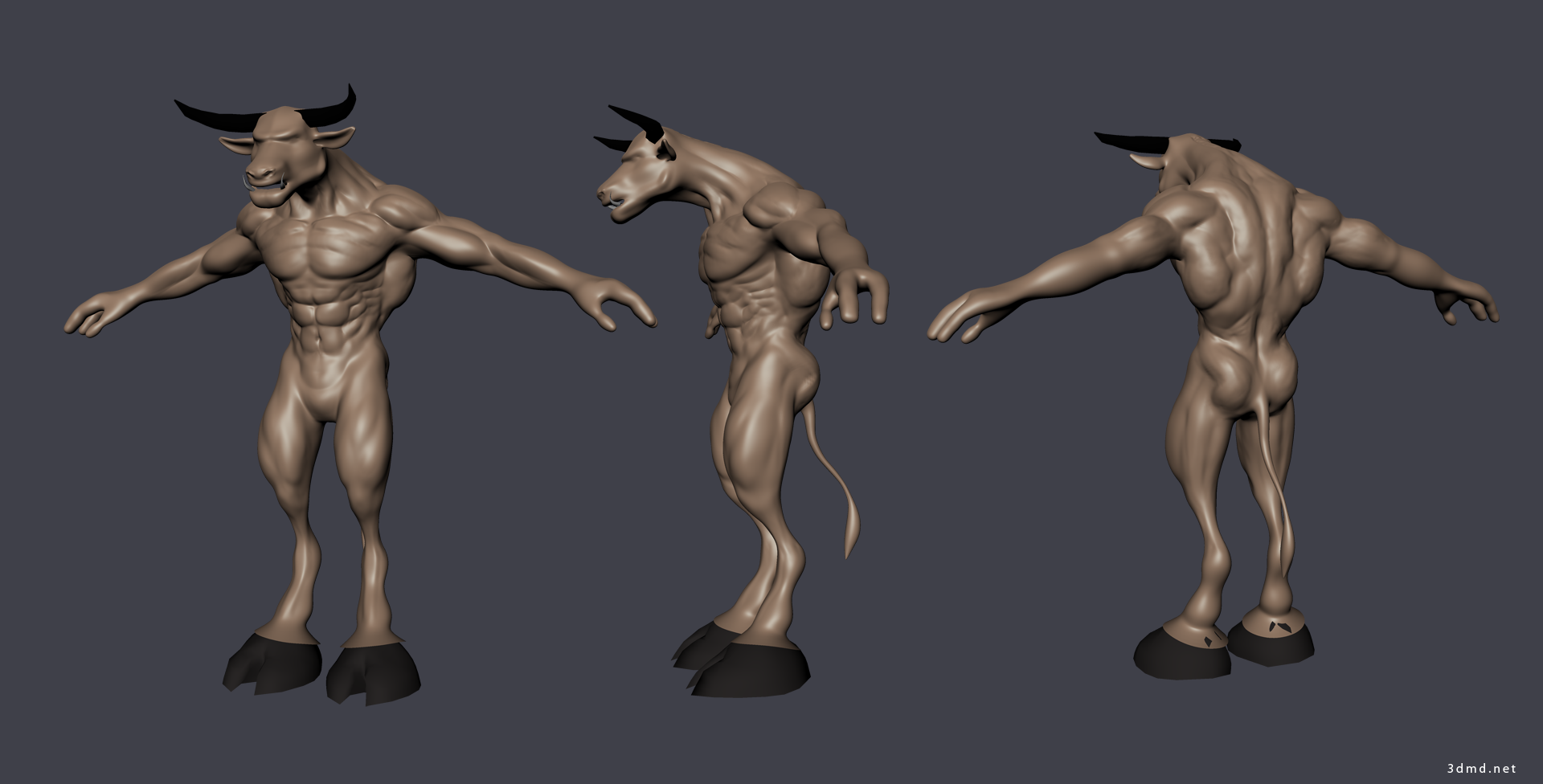
So here is the start. I first made it all quads and added more edge loops in blender, then I started sculpting the details also in blender. But soon I noticed that sculpting in blender doesn't handle as many polygons as mudbox so I switched to mudbox and here is what I have at the moment.
Posted: June 20, 2012
Post subject: Minotaur 3d model head details - work in progress
Post subject: Minotaur 3d model head details - work in progress
Here is a small update. Minotaur head detailing.
Any input is welcome.
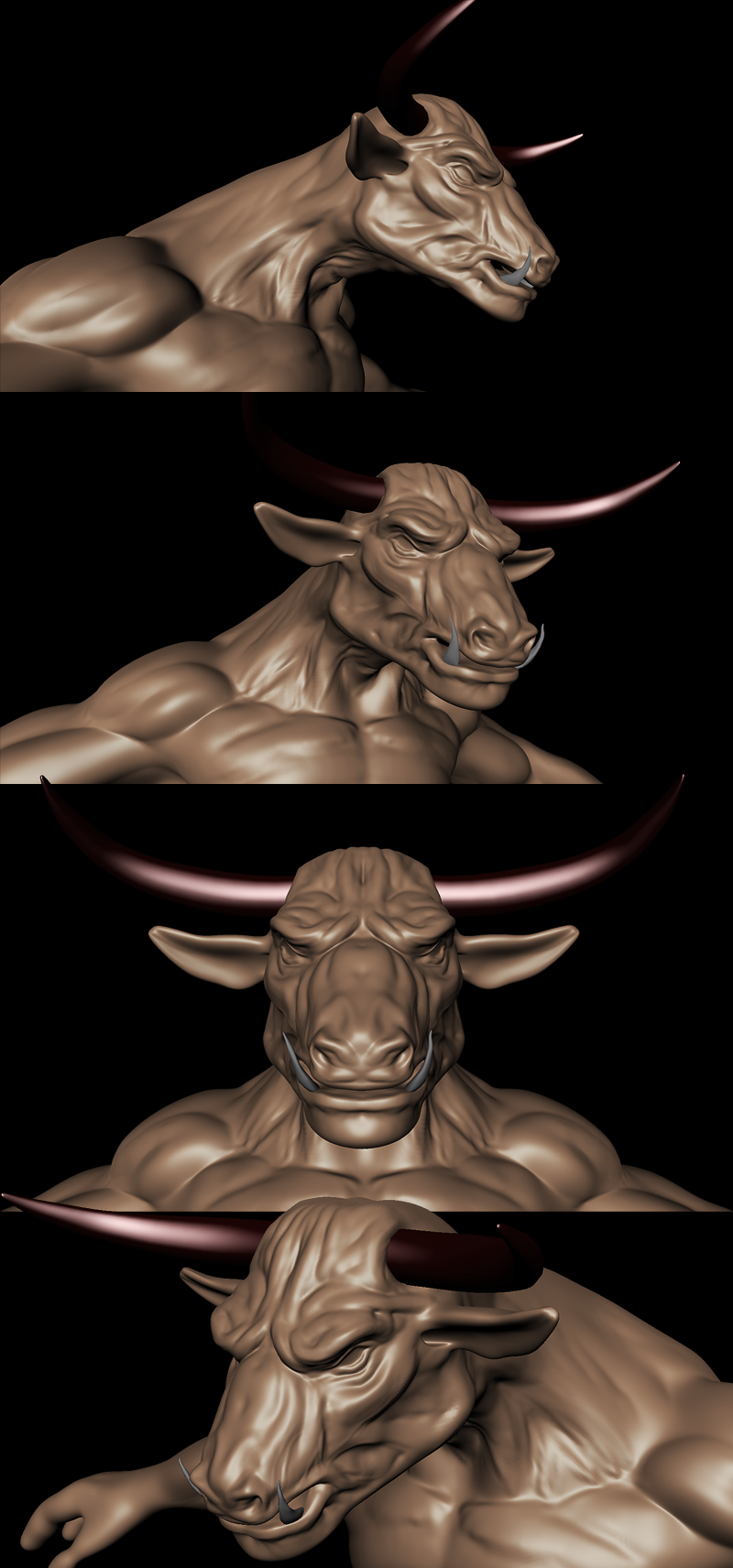
Any input is welcome.
Posted: June 25, 2012
Post subject:
Post subject:
Yet another update. Here I changed the legs a little and added some details to palms and arms.
Turntable of the minotaur:
Constructive critique welcome!
Turntable of the minotaur:
Constructive critique welcome!
Posted: February 20, 2013
Post subject:
Post subject:
hi andyba,
cool minotaur i luv minotaurs, and am working on my own at the moment. did u do the sculpting in zbrush?
I think the proportions are looking really good, but would like to see more high frequency detail cause the skin is still quite smooth. were u already planning on adding this? perhaps in a texture not sculpted? good job
cool minotaur
i luv minotaurs, and am working on my own at the moment. did u do the sculpting in zbrush?
I think the proportions are looking really good, but would like to see more high frequency detail cause the skin is still quite smooth. were u already planning on adding this? perhaps in a texture not sculpted? good job
Posted: February 20, 2013
Post subject:
Post subject:
Hi Lyndon.
I did the sculpting in Blender then in Mudbox.
I did the sculpting in Blender then in Mudbox.
Posted: February 20, 2013
Post subject:
Post subject:
Cool I'm glad to see other people using Blender Sculpting which in my opinion is pretty decent the new Dyntopo sculpt mode in Blender is also really great! have you layed out the minotaurs UV's or wut plans do u have for texturing?
the new Dyntopo sculpt mode in Blender is also really great! have you layed out the minotaurs UV's or wut plans do u have for texturing?
Posted: March 09, 2013
Post subject:
Post subject:
The uvs are already there. I will paint the minothaur in mudbox.
What is Dyntopo sculpt mode in Blender?
Is it a plugin or a feature in the new version of blender?
What is Dyntopo sculpt mode in Blender?
Is it a plugin or a feature in the new version of blender?
Posted: March 10, 2013
Post subject:
Post subject:
Hi Andyba,
i look forward to seeing the painted minotaur from mudbox, i hope you will be posting some updates:)
Dyntopo in Blender is a new feature (since 2.66) that changes a models geometry by adding to it's poly count with the mode enabled and sculpting a mesh.
i look forward to seeing the painted minotaur from mudbox, i hope you will be posting some updates:)
Dyntopo in Blender is a new feature (since 2.66) that changes a models geometry by adding to it's poly count with the mode enabled and sculpting a mesh.
Posted: August 16, 2013
Post subject:
Post subject:
Very cool. I like the muscular tone. Very smooth.
Posted: November 07, 2013
Post subject:
Post subject:
Thank you lyndon, I have already used dynamic topology in Blender. It's awesome and it saved my butt in a very complicated 3d modeling project.