

SandSei Desert Radar Truck
| Are 3D Modler's the Masters of the of the Microcosm? | |||||||||||||||||||||
|
|||||||||||||||||||||
| Total Votes : 6 | |||||||||||||||||||||


Posted: April 27, 2011
Post subject: SandSei Desert Radar Truck
Post subject: SandSei Desert Radar Truck

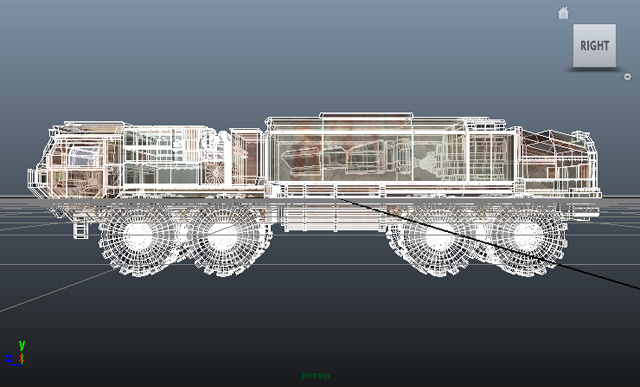
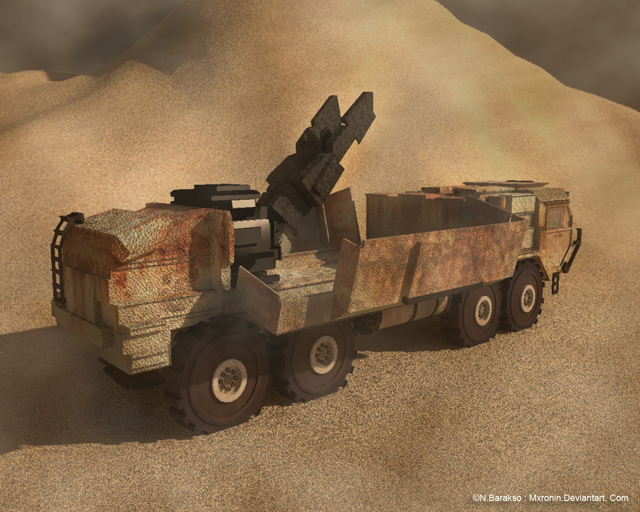
Hello Everyone. This is my second post so I was still uneasy about dumping this into finished. It still needs a little tweeking but this is what I have got. It was modeled in maya and rendered with mental ray.
Description:
This is a terrain target for my scifi-aircraft game. This is the SandSei Radar truck. Usually lead scout trucks for feul and material convoys through the vast sand barrens. It is built to take heavy storms and firepower as well. This truck is using with a radar collector, but the SandSei Bed cargo bay can be easily swapped to hold various other goods and equipment.
I'm still trying to understand the finer points of rendering so if anyone can give me any pointers, critiques are welcome, thank you. -nbimage

Description:
This is a terrain target for my scifi-aircraft game. This is the SandSei Radar truck. Usually lead scout trucks for feul and material convoys through the vast sand barrens. It is built to take heavy storms and firepower as well. This truck is using with a radar collector, but the SandSei Bed cargo bay can be easily swapped to hold various other goods and equipment.
I'm still trying to understand the finer points of rendering so if anyone can give me any pointers, critiques are welcome, thank you. -nbimage
Posted: April 28, 2011
Post subject:
Post subject:
I like it. It's a good model for game. I only feel that bump grain is a little too big in most places. But that's just my feeling 
Posted: April 28, 2011
Post subject:
Post subject:
Thanks for the words of encouragement! I was having a time with the bump because when i turned it to far down, I wouldn't get the subtle effects of it on the other sides of the shadows. Is making a displacement map the only solution for this? I am certainly taking your advice and tuning that badboy down. Thanks!
Posted: April 28, 2011
Post subject:
Post subject:
Very nice! I agree the bumps are a bit, also some tracks in the sand would help It is a good model. Keep it up.
Posted: April 29, 2011
Post subject:
Post subject:
I don't think that displacement is needed. If you're loosing some subtle effect with bump then maybe simple normal map would solve this problem.
Posted: May 05, 2011
Post subject: Slight Alteration
Post subject: Slight Alteration
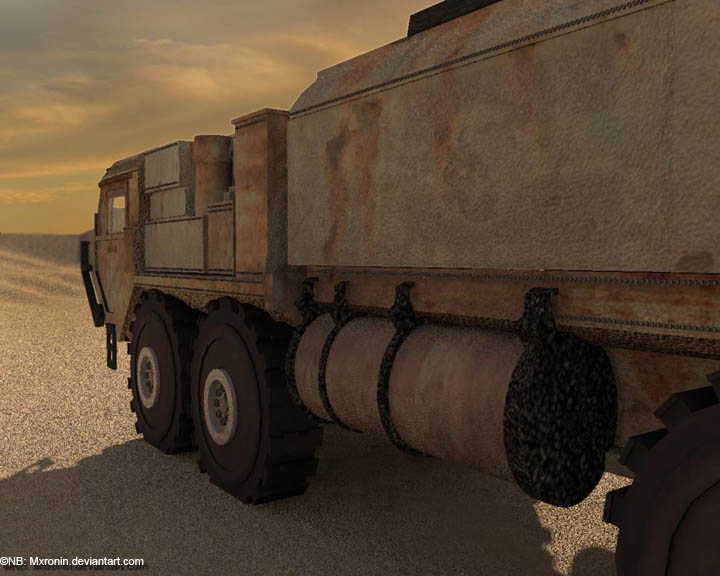
You were certainly right, after a bit of adjusting with the lights and bump, I had gotten this on the other side of the light so its basically not bumped at all. Thanks for the words of advice guys!
Posted: May 12, 2011
Post subject:
Post subject:
I like what you have so far, it's pretty good. The model looks too clean, too new. If that vehicle is out in front getting pounded on with all sorts of elements roughing it through terrain possibly hitting or scrapping rocks maybe some dents here and there?
I was told once, "When you model an environment, model one but then drop an F - bomb on it. That will get you hired."
I was told once, "When you model an environment, model one but then drop an F - bomb on it. That will get you hired."
Posted: May 15, 2011
Post subject:
Post subject:
LMAO That is is certainly an awesome quote and great tip, i'm going to back in to add detail to the truck and terrain, I certainly see what you meant. I was having trouble between choices of bump mapping but want to take the time and later to do some displacement. (maybe go the zbrush with separate components) I thought the texturing would pull it further, but its fare from done. There is even an entire interior with controls so I have some work ahead of me to add everything the way it should be. Thanks for the pointer Trax!