

FaceFX Facial Animation Plugins released for $199
Posted: May 26, 2010
Post subject: FaceFX Facial Animation Plugins released for $199
Post subject: FaceFX Facial Animation Plugins released for $199
FaceFX announced today the release of $199 facial animation plugins for 3ds Max, Maya, XSI and MotionBuidler in a press release:
Research Triangle Park, NC - May 26th 2010 - The facial animation solution powering over 150 triple-A game titles is now being sold as an affordable line of plugins for several popular Autodesk animation packages. For $199, the same technology driving blockbuster video game characters is available to animators on a shoestring budget. To make the deal even sweeter, a single FaceFX plugin license can be shared across team members on different computers using a flexible and powerful licensing system.
Check out the youtube channel "facialanimation" for samples and video tutorials. An evalaution is available from the facefx website.
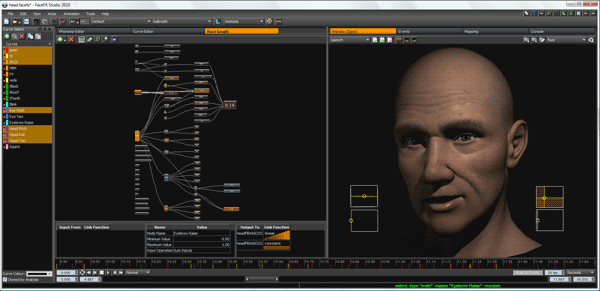
Research Triangle Park, NC - May 26th 2010 - The facial animation solution powering over 150 triple-A game titles is now being sold as an affordable line of plugins for several popular Autodesk animation packages. For $199, the same technology driving blockbuster video game characters is available to animators on a shoestring budget. To make the deal even sweeter, a single FaceFX plugin license can be shared across team members on different computers using a flexible and powerful licensing system.
Check out the youtube channel "facialanimation" for samples and video tutorials. An evalaution is available from the facefx website.
Posted: June 08, 2010
Post subject:
Post subject:

XSI is called Autodesk Softimage now, did you mean that the plugin is for the old version of softimage that was called XSI and had no Face Robot in it?