biped problem in 3ds max 2010
| Previous topic | Next topic | |
|
|
|
|---|---|
| monjanse | Posted: December 12, 2009 Post subject: biped problem in 3ds max 2010 | ||||||
| 3d forum advanced guest Joined: 12 Dec 2009 Posts: 6 Back to top |
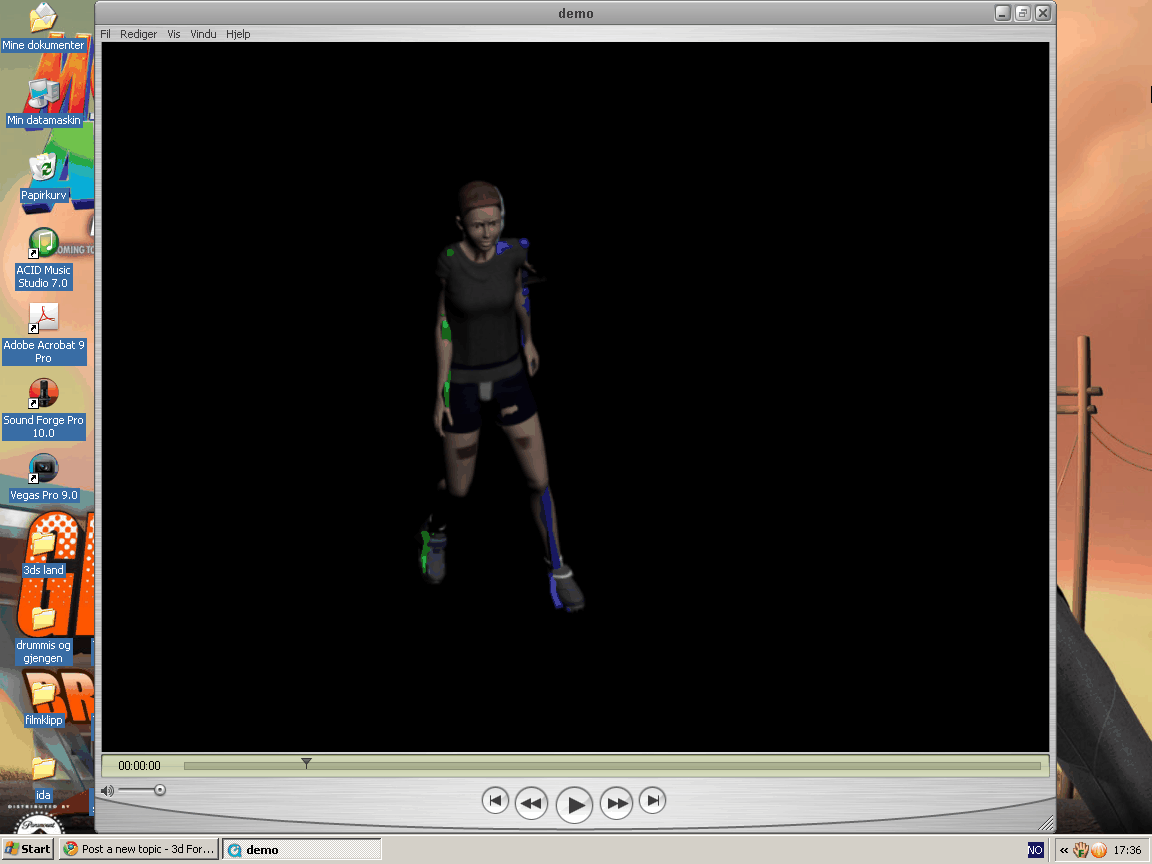
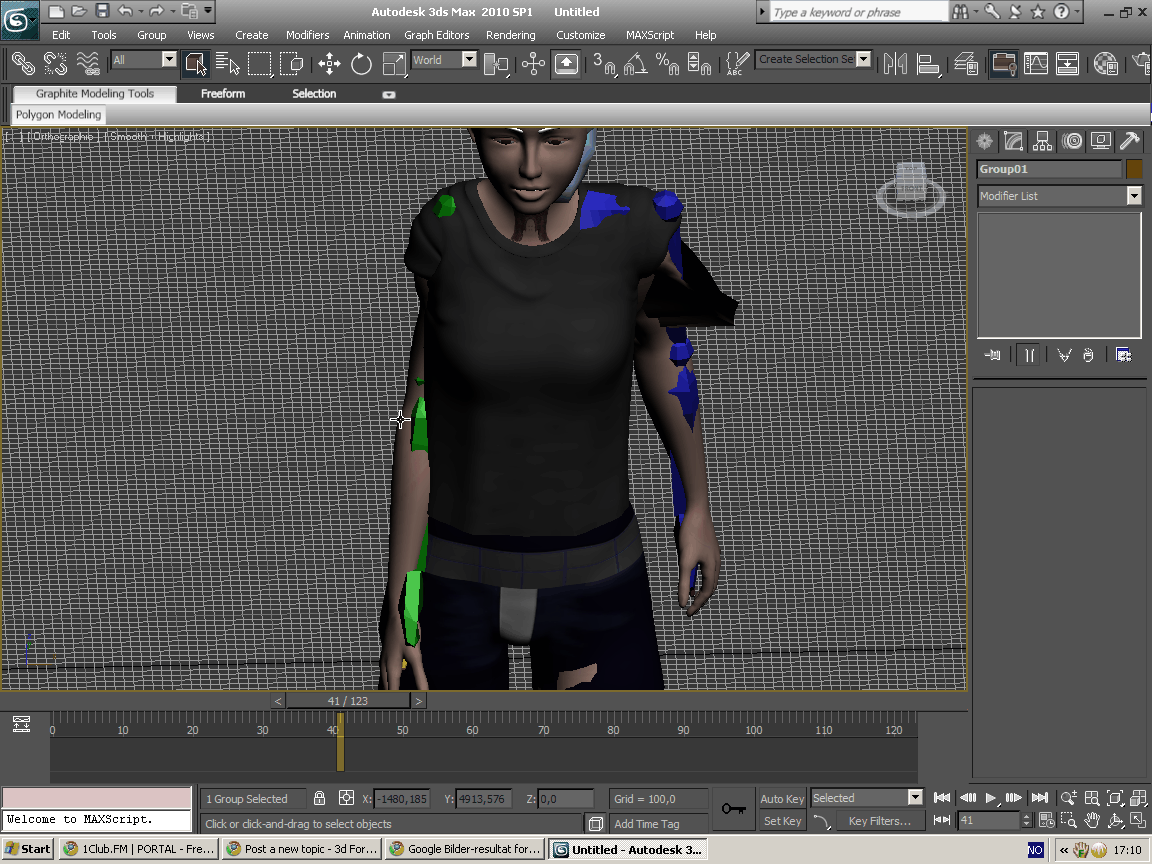
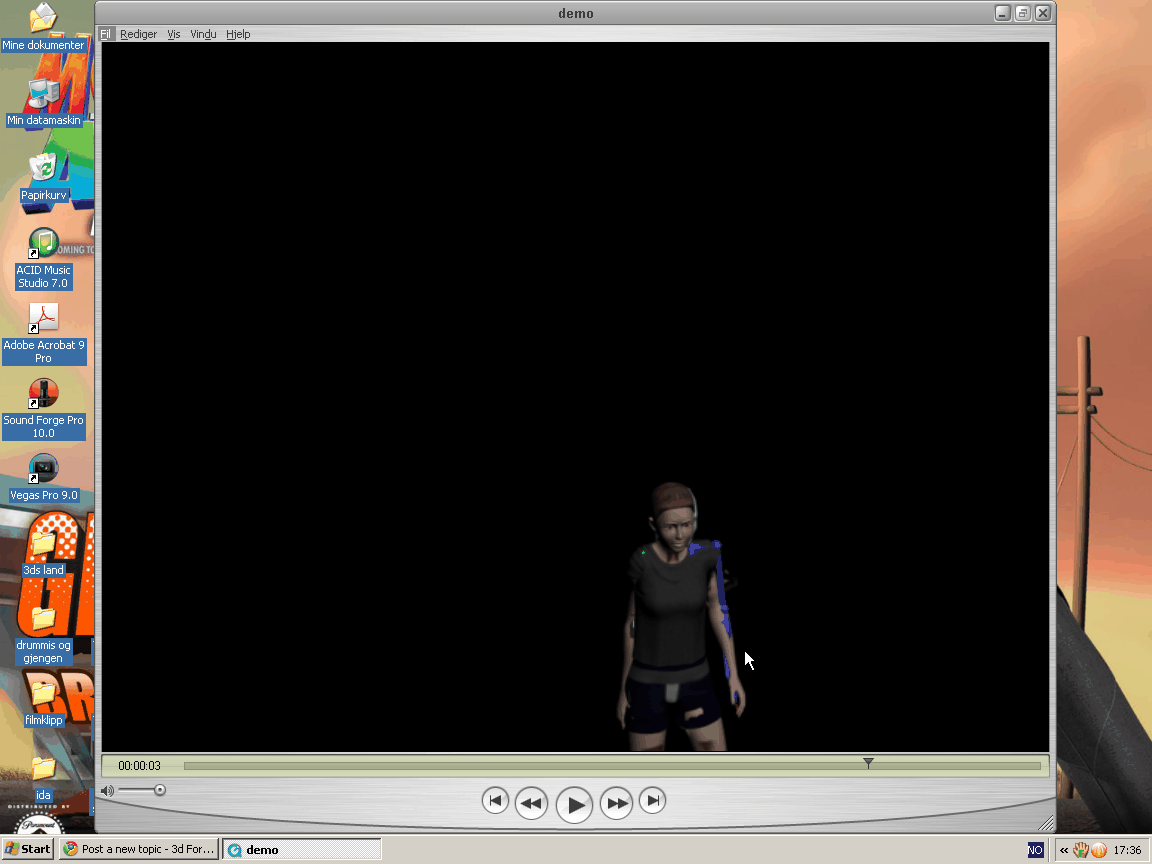
how can i do so the bodyparts of a model dont go trough each other, like in this pictures? how can i make them collide, and the skeletton to make skinned object to collide, and bounse or glide like it normaly does in the real world?
|
| Posted: December 12, 2009 Post subject: | |
| Site Admin Joined: 25 Jul 2005 Posts: 798 Back to top |
Can you show the wireframe view of your model when it is in the default rigging pose?
Also please show the envelopes. From the pictures that you posted it is not clear, but this is most probable a skinning problem i.e. you didn't apply the 3d mesh weights correctly. _________________ Andyba, 3d artist skills: 3d modeling, texturing, rendering, 3d character animation, compositing 3d software experience: 3ds max, Maya, Softimage XSI, Deep Paint 3d, Body Paint 3D, Wings 3D, Z Brush 2d software experience: Adobe Photoshop, Adobe After effects, Macromedia Flash, Freehand |
| Sponsor | Posted: September 02, 2010 Post subject: |
| 3d forum sponsor Joined: 09 Aug 2010 Posts: 1 Back to top |
|
| Previous topic | Next topic |
|
|
|
3d artists |
3d jobs |
Free Textures |
Photo References |
3d Gallery |
3d Tutorials |
Post a Job offer |
FAQ
Powered by phpBB | hosted by Royal Web Hosting | CG archive | Privacy policy
Best viewed with latest versions of Firefox, Opera, Chrome or Safari browsers.
Powered by phpBB | hosted by Royal Web Hosting | CG archive | Privacy policy
Best viewed with latest versions of Firefox, Opera, Chrome or Safari browsers.