

I am having problem with UV unwrap
Posted: September 20, 2009
Post subject: I am having problem with UV unwrap
Post subject: I am having problem with UV unwrap
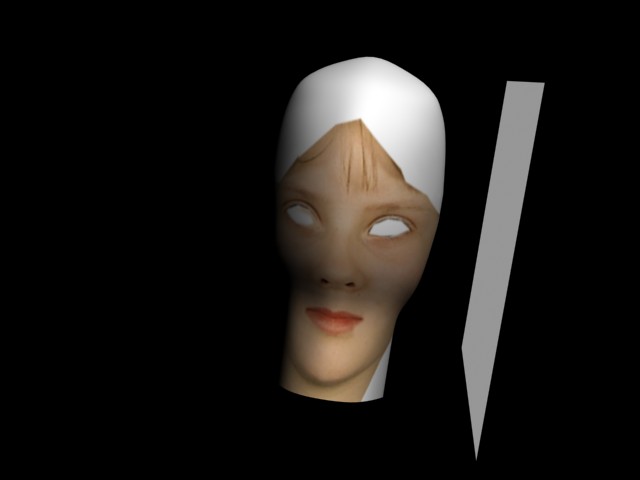
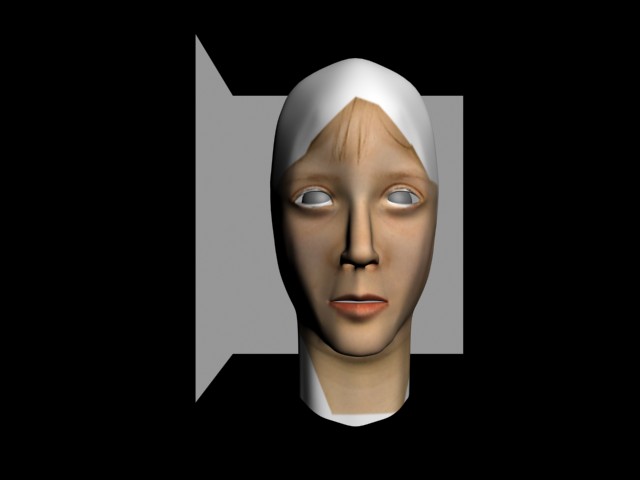
I am new to 3DMAx 9, I model a head and applied UVW Unwrap, but when I applied the texture from the image from PSD, the texture showing at the front was also showing at the back. How do I applied the texture to cover the head properly.
Posted: September 20, 2009
Post subject:
Post subject:
Posted: September 21, 2009
Post subject: Here is the IMAGE PICTURE
Post subject: Here is the IMAGE PICTURE
I HAVE UPLOADED THE IMAGES OF MY WORK SO YOU COULD SEE MY PROBLEM AND TELL THE POSSIBLE WAY TO USE THE UNWRAP.
Posted: October 02, 2009
Post subject:
Post subject:

You have probably used planar mapping... Try using cylindrical instead.
Posted: March 12, 2010
Post subject:
Post subject:
it doesn't seem to be that difficult...
Posted: January 22, 2011
Post subject:
Post subject:
I HAVE UPLOADED THE IMAGES OF MY WORK SO YOU COULD SEE MY PROBLEM AND TELL THE POSSIBLE WAY TO USE THE UNWRAP.
Posted: August 04, 2011
Post subject:
Post subject:
I think you placed the back side of the head on the face. You see when you import a texture into 3dsmax for unwrap, in the unwrap window you have more than one copy of the texture, it's now left for you to scale the unwrapped model to the size of ONE of the textures not two. I believe you placed the back side on another of the texture or you didn't flatten the map, hence you have both the front and the back on one texture. Try selecting all (CTRL+A) and flatten map your model.
I hope this post is helpful. Cheers.
I hope this post is helpful. Cheers.
Posted: September 03, 2011
Post subject: try using edit uvws itself
Post subject: try using edit uvws itself
I hope you would have solved ur problem by this time, still i would like to help u something i know. just go to ur unwrap modifier then edit and in the edit window click on the show map icon and in the drop down box select pick texture and select the uv map u have applied and it will show u the texture applied for each poly and then u can figure out the reason by yourself....
Posted: September 29, 2011
Post subject:
Post subject:
Good tutorial, accept it! Thank you
Posted: November 22, 2011
Post subject:
Post subject:
Have you ever considered using Mudbox or Z-Brush to paint on the texture? It'll save you a lot of hassle and it's a lot easier as you can also produce normal maps from it. Search for some tutorials on YouTube.