

Modelling a Logitech G11 Keyboard
Posted: September 04, 2009
Post subject: Modelling a Logitech G11 Keyboard
Post subject: Modelling a Logitech G11 Keyboard
Hi,
I'm fairly new at 3d modeling, only took a few tutorials like how to make a realistic earth (with clouds, atmosphere), making chess pieces (pawn, rook, bishop, knight).
So i'm just a beginner.
I want an advice on how to make a particular part of this keyboard (the smooth margins). Screenshot
If some1 wonders how a Logitech G11 Keyboard looks like, search for it on google images .
.
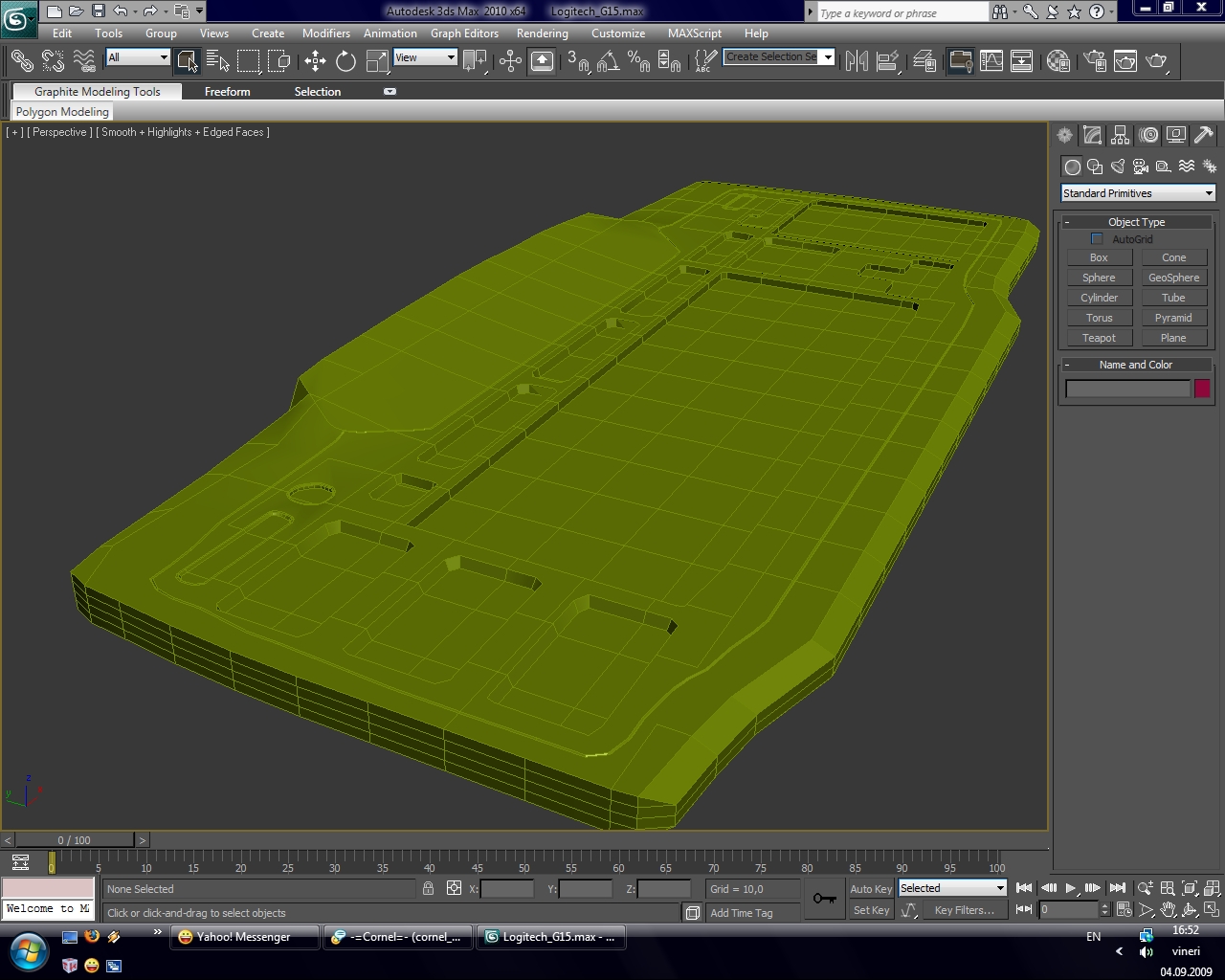
I'm fairly new at 3d modeling, only took a few tutorials like how to make a realistic earth (with clouds, atmosphere), making chess pieces (pawn, rook, bishop, knight).
So i'm just a beginner.
I want an advice on how to make a particular part of this keyboard (the smooth margins). Screenshot
If some1 wonders how a Logitech G11 Keyboard looks like, search for it on google images
.
Posted: September 04, 2009
Post subject:
Post subject:


For the smooth margins try edge bevel and mesh smooth where appropriate.
Right now the problem with your approach in modeling this keyboard is that you are trying to make it a single object while in reality it consists of multiple elements that are united together.
Right now if you try mesh smooth you get a mess. But if you extract the margins as a separate object and adjust the topology so that it is all quads, then mesh smooth will provide good results and will not spoil the rest of the object.
Posted: September 04, 2009
Post subject:
Post subject:
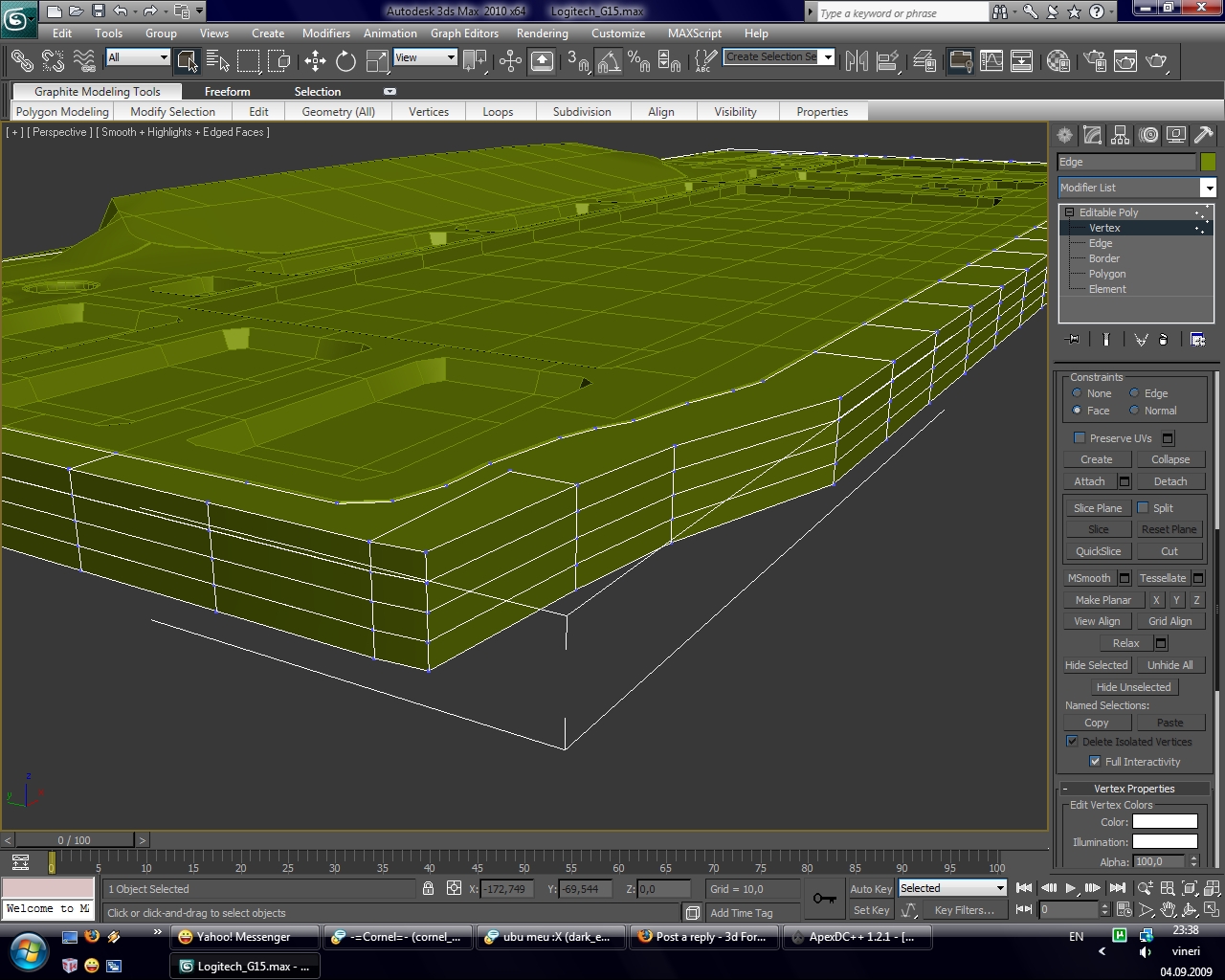
And how do i revert the changes i did :-s? As the margins are already beveled, and i want to restore it, and make a subobject from i
LE: Ok, i deleted those vertices and created polygons again but now that margin has only 1 segment.
And should i detach it as an element or a new object?
Nevermind, i did it
LE: Ok, i deleted those vertices and created polygons again but now that margin has only 1 segment.
And should i detach it as an element or a new object?
Nevermind, i did it
Posted: September 04, 2009
Post subject:
Post subject:
| KingA wrote: |
| And how do i revert the changes i did :-s? As the margins are already beveled, and i want to restore it, and make a subobject from i
|
Nobody said it will be easy.

edge ring and edge loop select + delete or collapse may help to clean the 3d mesh faster. At least that's how I am usually doing it.
| KingA wrote: |
| And should i detach it as an element or a new object? |
Detach it as a new object, you have more control this way. Can apply modifiers to it only, smooth it and so on.
| KingA wrote: |
| created polygons again but now that margin has only 1 segment |
I am not sure I understand what you mean.
Can you attach a screen shot?
Posted: September 04, 2009
Post subject:
Post subject:
| Quote: |
| I am not sure I understand what you mean.
Can you attach a screen shot? |
Nevermind, cuz i did it
... i used Slice Plane and quickslike
Pfff....nevermind
i screwed it up, i'm putting it on hold...i need to learn some more, i created 2 overlapping edges with Slice plane
thanks for the help
Posted: September 05, 2009
Post subject:
Post subject:
There are some cool tools in 3ds max you should learn first.
Learn using select edge ring + connect it can be used instead of slice

Here is a cool blog about edge loop modeling
And you can also extrude border edges by pressing the shift key and moving them.
Learn using select edge ring + connect it can be used instead of slice
Here is a cool blog about edge loop modeling
And you can also extrude border edges by pressing the shift key and moving them.
Posted: September 06, 2009
Post subject:
Post subject:
Another question: what's the diff between editable poly and editable mesh? When should i use poly, and when should i use mesh? I used Editable poly on my object.
Oh, and i have to take pictures of my own keyboard because i can't find side, front images of it...
Lets suppose that we want to model something that we don't own, and u only have some pics of that object displaying its top or front view... what do u do? U just imagine ?
Oh, and i have to take pictures of my own keyboard because i can't find side, front images of it...
Lets suppose that we want to model something that we don't own, and u only have some pics of that object displaying its top or front view... what do u do? U just imagine
?
Posted: September 07, 2009
Post subject:
Post subject:
| KingA wrote: |
| Another question: what's the diff between editable poly and editable mesh? When should i use poly, and when should i use mesh? I used Editable poly on my object. |
Editable mesh is an old approach to modeling that exists in 3ds max since the first version. I think it is still there for the sake of backward compatibility with older 3ds max scenes. I heard people using it for low poly models for real time games because you can control each triangle, but I never did it personally and I don't see the point.
Editable poly is so much better, you can use edge rings and edge loops, connect edges etc. So I don't see any reason to use editable mesh any more.
| KingA wrote: |
| Lets suppose that we want to model something that we don't own, and u only have some pics of that object displaying its top or front view... what do u do? U just imagine ? |
Yes, imagine, apply logic, research other similar objects, try to find the photos in google.