

bike
Posted: August 13, 2009
Post subject:
Post subject:

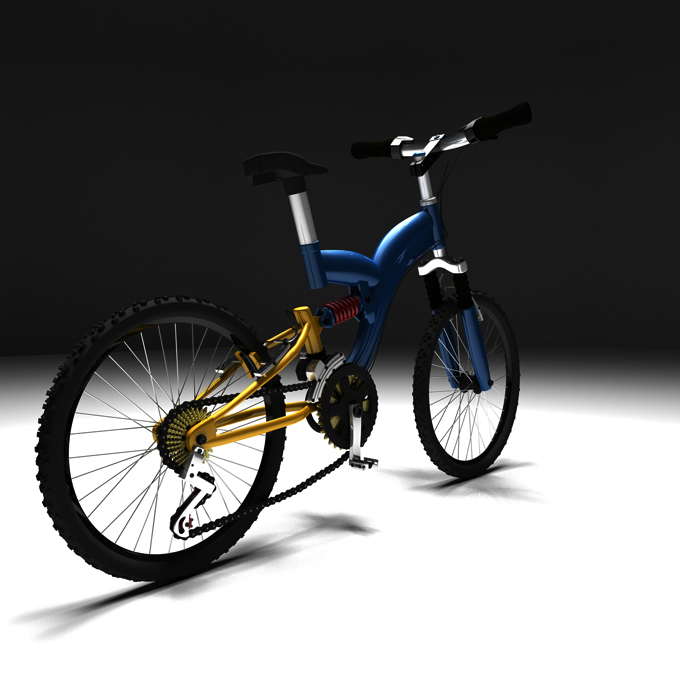
The background is too dark and the seat is not visible because of it.
Also the tires are too dark or not lit properly thats so that the volume details are lost.
Also the tires are too dark or not lit properly thats so that the volume details are lost.
Posted: September 18, 2009
Post subject:
Post subject:
Andyba rights. Very dark background. Try using a light source Omni instead of Spot. This will give you an even illumination across the scene.
Posted: May 11, 2010
Post subject:
Post subject:
I really like it. The cogs of the gears re verry detailed !
Posted: June 21, 2010
Post subject:
Post subject:
The background is too dark. Lighten it up a bit. The Background swallows most of the bike and it blends with the bike's seat. 
Posted: September 01, 2010
Post subject:
Post subject:
Looks really good, you did a great job on the placing of the mesh, you can feel the weight of it.
Posted: September 13, 2010
Post subject:
Post subject:
It looks nice, really a wonderful job
Posted: September 13, 2010
Post subject:
Post subject:
That's my favourite renderer  Bgr is too dark indeed. As Andyba says - some elements needs more work with materials. Anyway it's a really good job and nice model
Bgr is too dark indeed. As Andyba says - some elements needs more work with materials. Anyway it's a really good job and nice model
Posted: September 15, 2010
Post subject:
Post subject:
The texturing is not the best , but very nice model !!!
Posted: September 26, 2010
Post subject: Concur Concur
Post subject: Concur Concur
| S. Silard wrote: |
| The texturing is not the best , but very nice model !!! |
I really dig the feel and proportions of the model but I have to agree the frame could use a texture upgrade. The intricate parts are a very nice touch too. The render a bit dark, an omni light and a support light to bring the shine out could do it wonders. Other than that I don't think I could make a better bike myself so kudos!
Posted: November 07, 2010
Post subject:
Post subject:
think it looks fantastic....but I do agree the background is a little too dark to see the model.
Posted: November 12, 2010
Post subject:
Post subject:
Very nice. Just add some more lights towards Seat and Handle
Posted: March 10, 2011
Post subject:
Post subject:
Cute! Very simple and plan. Great job.
Posted: December 21, 2011
Post subject:
Post subject:
brillient rendering and high skill
Posted: January 08, 2012
Post subject:
Post subject:
The model looks great, but not a fan of the lighting or render. An outdoor setting or light ambient light would suit this scene better.
Posted: March 27, 2012
Post subject:
Post subject:
the bike looks great. I happen to want to buy one recently : )