

Maya newbie question (display settings)
Posted: July 01, 2009
Post subject: Maya newbie question (display settings)
Post subject: Maya newbie question (display settings)
Hi, i am very new to Maya and I'm trying to model my first human face. I don't know what i did, but now, when i want to view my model with more detail by pressing the '2' or '3' keys, maya displays strange squares over surface.
Can anyone tell me what to do so Maya displays my model the "standard" way again (nice smooth surface) instead of those strange-looking squares?
Thank you
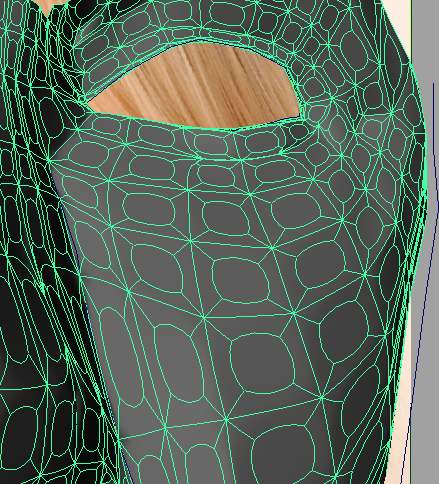
Can anyone tell me what to do so Maya displays my model the "standard" way again (nice smooth surface) instead of those strange-looking squares?
Thank you
Posted: September 03, 2009
Post subject:
Post subject:

Or you have extruded all the polygons. Try looking through the Maya modeling history.