

3DS MAX: Texture problem
Posted: January 23, 2009
Post subject: 3DS MAX: Texture problem
Post subject: 3DS MAX: Texture problem
Hi guys, I am currently trying to texture a cardboard box I made (kinda new to texturing) and i have a 512x512 image but when i apply it, it comes up as a load of tiny tiled images. Are my settings wrong of something??
Heres a pic coz that wasn't very descriptive .
.
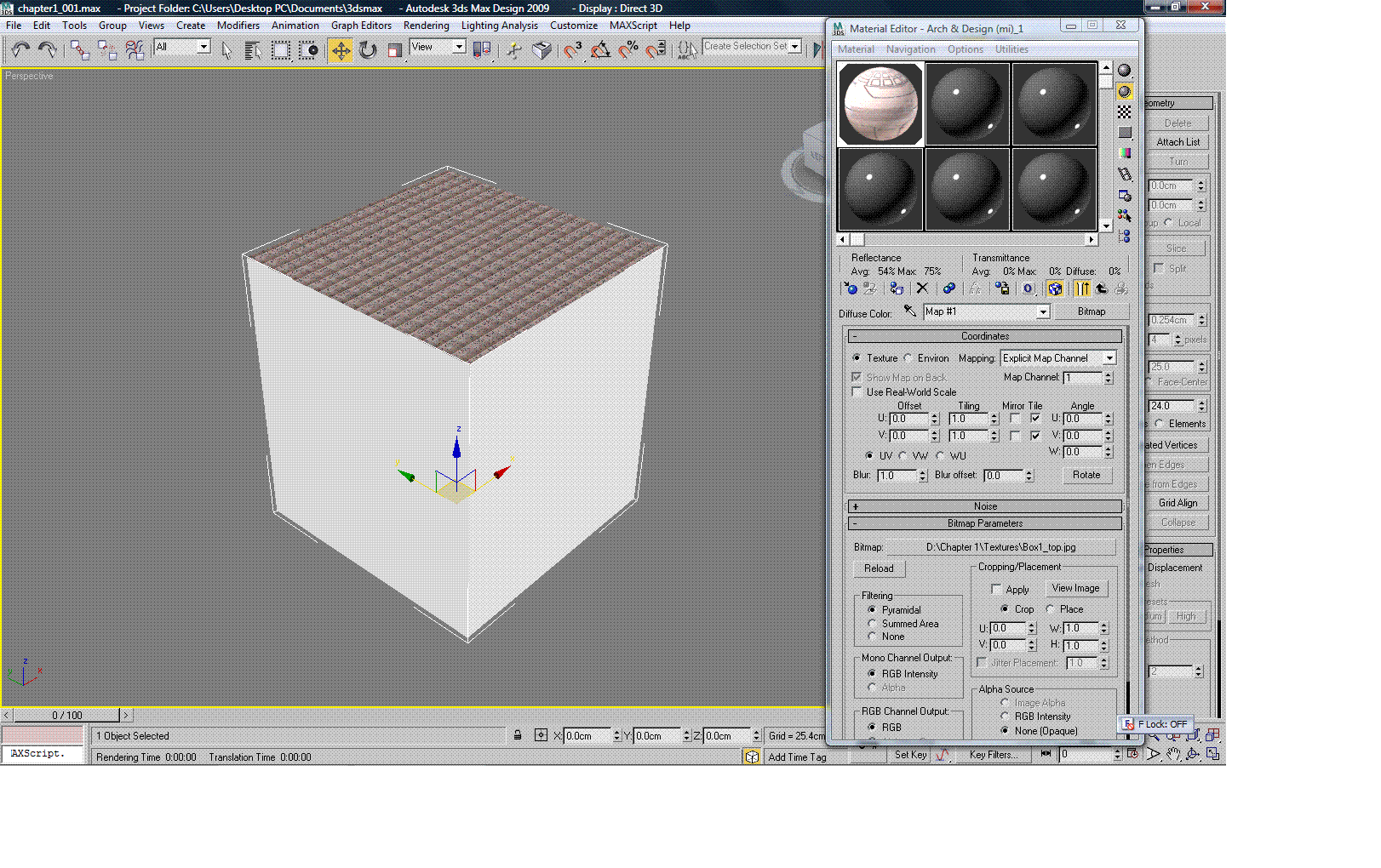
Heres a pic coz that wasn't very descriptive
.
Posted: January 25, 2009
Post subject:
Post subject:

To add it select the cube, go to modifiers menu and click on the UVW map modifier.
There you can select the cubic method of mapping. Or other method it already depends on your needs and wants.
Here is a great 3ds max UV mapping tutorial:
http://www.titanpictures.com/articles/uvmap.html
Posted: January 28, 2009
Post subject:
Post subject:
Thanks  Works now. Also had to turn off 'Real World Map Size".
Works now. Also had to turn off 'Real World Map Size".
Posted: January 29, 2009
Post subject:
Post subject:
| kbraith wrote: |
| Thanks Works now. Also had to turn off 'Real World Map Size". |
On you screen shot it's turned off, so I didn't took it in consideration.

Posted: January 29, 2009
Post subject:
Post subject:
my fault, I meant on the UVW Map modifier. That tutorial is really good, covers alot. Thanks.
hihi my friend from Indonesia I again learn 3DMax and I had a problem with 3DMax when I do when my love maping materials such as tile so why do not you? ga can be mapped and already I use UVMAP still can not? help me please :(
Posted: March 12, 2010
Post subject:
Post subject:
The tutorial is really very good. Thank you, man!
Posted: October 27, 2010
Post subject:
Post subject:
interesting tutorial. Thank you!