Join or
3d forums home Resources for 3d artists


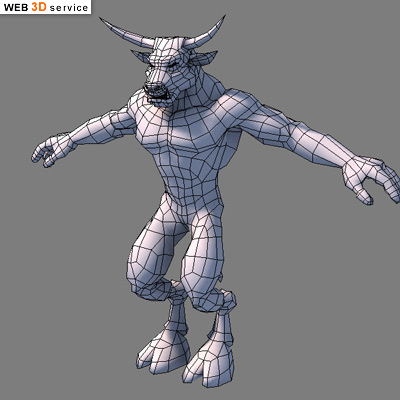
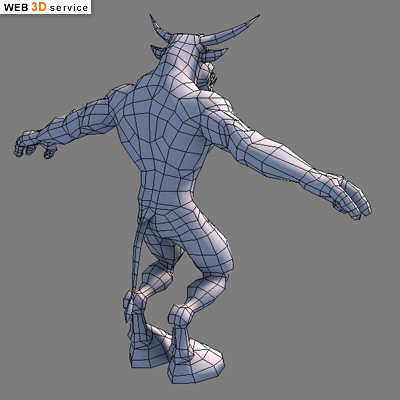
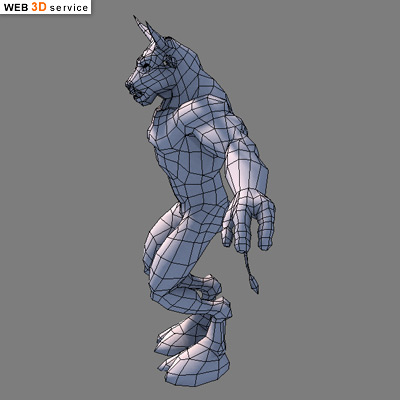
Low poly minotaur 3D model - WIP


3d Forum -> 3D Art Work In Progress Previous topic | Next topic
3d artist gallery Andyba Posted: September 16, 2006   Post subject: Low poly minotaur 3D model - WIP
Site Admin


Joined: 25 Jul 2005
Posts: 899

Back to top
Reply
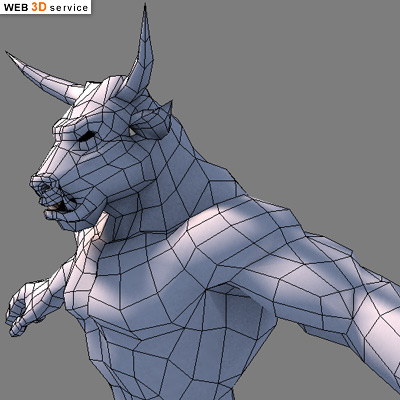
A low poly minotaur model.
3412 triangles


_________________
Andyba, 3d artist
skills: 3d modeling, texturing, rendering, 3d character animation, compositing
3d software experience: 3ds max, Maya, Softimage XSI, Deep Paint 3d, Body Paint 3D, Wings 3D, Z Brush
2d software experience: Adobe Photoshop, Adobe After effects, Macromedia Flash, Freehand

3d artist gallery Huva Posted: February 26, 2009   Post subject:
3D forums member


Joined: 04 Jan 2009
Posts: 28
Location: Moldova

Back to top
Reply
I like the head and the torso!
The legs are a bit weird imho.
Would like to see the textured version...


3d artist gallery redho Posted: February 28, 2009   Post subject:
3d forums user


Joined: 11 Mar 2005
Posts: 22
Location: Antalya

Back to top
Reply
I would add more volume to his legs... make them thicker.
The hooves can also be bigger to be proportional to it's torso... it will give him more character.

3d artist gallery Andyba Posted: December 14, 2009   Post subject:
Site Admin


Joined: 25 Jul 2005
Posts: 899

Back to top
Reply
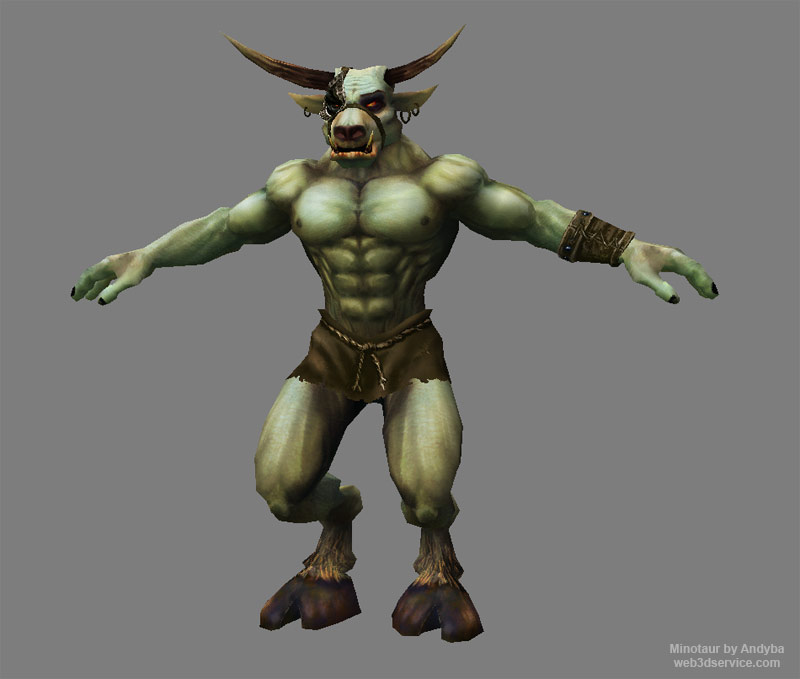
Here is this minotaur 3d model finished. Smile

_________________
Andyba, 3d artist
skills: 3d modeling, texturing, rendering, 3d character animation, compositing
3d software experience: 3ds max, Maya, Softimage XSI, Deep Paint 3d, Body Paint 3D, Wings 3D, Z Brush
2d software experience: Adobe Photoshop, Adobe After effects, Macromedia Flash, Freehand

3d artist gallery Andyba Posted: December 14, 2009   Post subject: minotaur 3d model work in progress
Site Admin


Joined: 25 Jul 2005
Posts: 899

Back to top
Reply
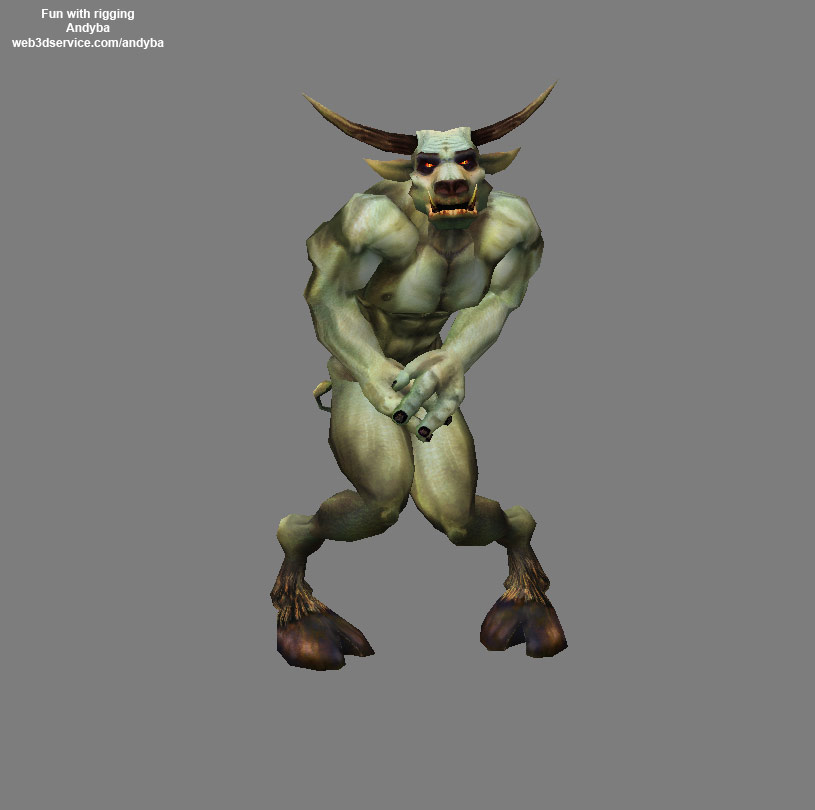
Here I tried to rig him and play a little Smile
_________________
Andyba, 3d artist
skills: 3d modeling, texturing, rendering, 3d character animation, compositing
3d software experience: 3ds max, Maya, Softimage XSI, Deep Paint 3d, Body Paint 3D, Wings 3D, Z Brush
2d software experience: Adobe Photoshop, Adobe After effects, Macromedia Flash, Freehand

3d artist gallery Andyba Posted: December 14, 2009   Post subject:
Site Admin


Joined: 25 Jul 2005
Posts: 899

Back to top
Reply
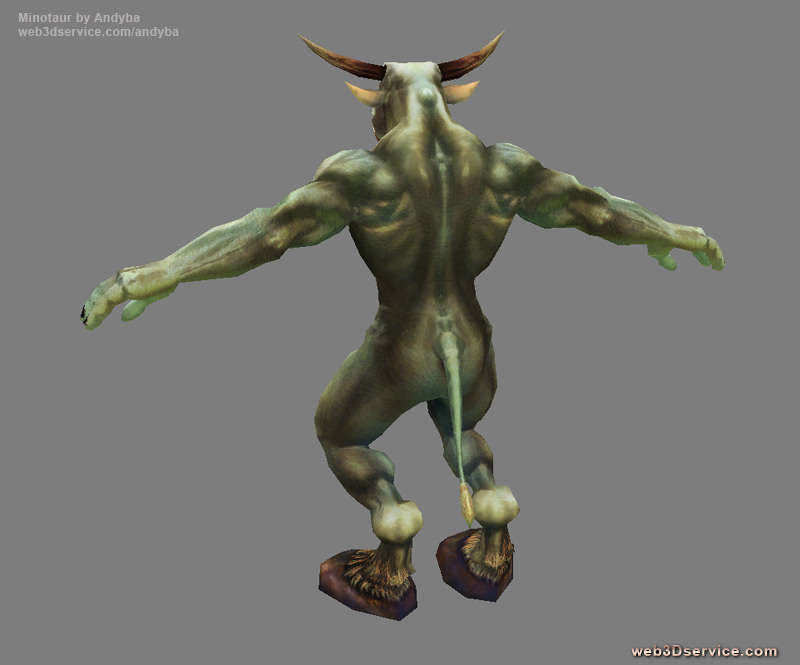
Here is his texture on the back. I kind of like it. Smile
_________________
Andyba, 3d artist
skills: 3d modeling, texturing, rendering, 3d character animation, compositing
3d software experience: 3ds max, Maya, Softimage XSI, Deep Paint 3d, Body Paint 3D, Wings 3D, Z Brush
2d software experience: Adobe Photoshop, Adobe After effects, Macromedia Flash, Freehand

Hazelnice Posted: January 12, 2010   Post subject:
CG forums guest


Back to top
Reply
Great job..Would like to see the textured version... ?

3d artist gallery Andyba Posted: July 24, 2010   Post subject:
Site Admin


Joined: 25 Jul 2005
Posts: 899

Back to top
Reply
Hazelnice, in the post above yours there is the textured version. Smile
_________________
Andyba, 3d artist
skills: 3d modeling, texturing, rendering, 3d character animation, compositing
3d software experience: 3ds max, Maya, Softimage XSI, Deep Paint 3d, Body Paint 3D, Wings 3D, Z Brush
2d software experience: Adobe Photoshop, Adobe After effects, Macromedia Flash, Freehand

3d artist gallery CGmagia Posted: August 05, 2010   Post subject:
3d forum advanced guest


Joined: 05 Aug 2010
Posts: 5
Location: India

Back to top
Reply
Nice model and texturing ;] the muscles detailing is awesome , more realistic human character,its is beautifully merged man and the Bullwhich creat a new type of character , the back muscles are fully developed , in proportion , not get out of the proprortionsThats cool , hmm may be leg muscles need more detailing , wating to see the animated version of this model ^_^Greatwork ;]

Sponsor Posted: February 07, 2012   Post subject:
3d forum sponsor


Joined: 09 Aug 2010
Posts: 1

Back to top

Reply to topic    3d Forum -> 3D Art Work In Progress Previous topic | Next topic
Username:
Message body:
To Attach an Image to your post write the message then press the Go Advanced button. In the bottom of the advanced reply screen you will see an option to upload an image from your computer.

Confirmation code: Enter the code with CAPITAL LETTERS. There is no zero. Please add the result of 10-2*3= in front of the code.