

Iguana
Posted: January 05, 2009
Post subject: Iguana
Post subject: Iguana
I am trying to create a macro still image of an Iguana.
This is the progress so far.
Using Maya for the modeling.
Might take it to ZBrush later.
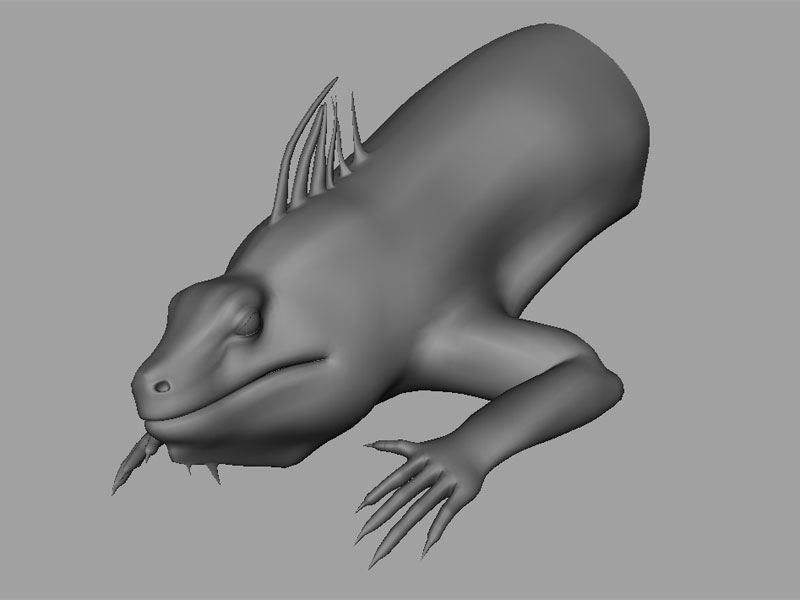
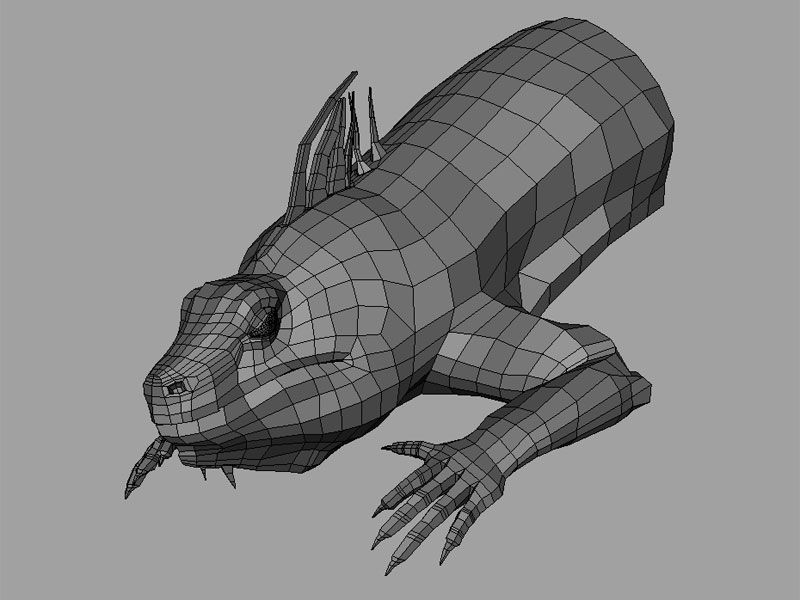
This is the progress so far.
Using Maya for the modeling.
Might take it to ZBrush later.
Great start!
Where is the tail?
How much time did it took you to model this part?
Where is the tail?
How much time did it took you to model this part?
Posted: January 05, 2009
Post subject:
Post subject:

Nice modeling.
Is it all quads?
Are you going to model the tail as well?
Looking forward to see more!
ps: You are the first to use the new image attachment feature. If you find some bugs or limitations please let me know.
Regards!
Is it all quads?
Are you going to model the tail as well?
Looking forward to see more!
ps: You are the first to use the new image attachment feature. If you find some bugs or limitations please let me know.
Regards!
Posted: January 19, 2009
Post subject:
Post subject:
Sorry for the late reply.........and the late update here.
Continuing this after quite some time.
Here's the base model.
Andy, it is around 99% quads so far........some tris on the tail region.

Continuing this after quite some time.
Here's the base model.
Andy, it is around 99% quads so far........some tris on the tail region.
Posted: January 20, 2009
Post subject:
Post subject:
Wow this looks really nice!
It is interesting how you are modeling it already in a natural pose..
do you have some references? Or is the model rigged and you pose it after finishing modeling?
It is interesting how you are modeling it already in a natural pose..
do you have some references? Or is the model rigged and you pose it after finishing modeling?
Posted: January 21, 2009
Post subject:
Post subject:
Thanks for the comments, Andy.
Well, the modeling has been done in that pose itself, no rigging.
I intended to make a still of it, in that pose itself.
I am using some downloaded photo refs.
Actually, I had made a base for the creature (a boulder)........but now I have decided to have a tree branch (still undecided)
So now, I'll have to fit the base as per the contours of the model.........the reverse way
Well, the modeling has been done in that pose itself, no rigging.
I intended to make a still of it, in that pose itself.
I am using some downloaded photo refs.
Actually, I had made a base for the creature (a boulder)........but now I have decided to have a tree branch (still undecided)
So now, I'll have to fit the base as per the contours of the model.........the reverse way
This is great modeling!
Congrats!
Congrats!
Posted: January 28, 2009
Post subject:
Post subject:
prithivi, for me it was always strange that many artists create models in a natural finished pose... all my modeling was limited to creating characters in rigging poses.. I'm now thinking that I missed a lot of fun.. 
Posted: February 24, 2009
Post subject:
Post subject:
| Andyba wrote: |
| prithivi, for me it was always strange that many artists create models in a natural finished pose... all my modeling was limited to creating characters in rigging poses.. I'm now thinking that I missed a lot of fun.. |
Sorry for replying late.
The model-rig-animate method is always the preferred method, if the models have to be animated.
Else, modeling 'in pose' is good only for stills or showcasing skill.
Most of those models would be tough to rig or animate later.
Posted: February 24, 2009
Post subject:
Post subject:
Was busy with some other work.
So continuing this again after a break
Started some detailing in ZBrush...

So continuing this again after a break
Started some detailing in ZBrush...
Posted: February 26, 2009
Post subject:
Post subject:
Amazing details!
Looking forward to see your lizard rendered with environment and stuff.
Looking forward to see your lizard rendered with environment and stuff.
Posted: March 07, 2009
Post subject:
Post subject:
Thanks for the comments, folks.
My net conn was down for a few days, so couldn't post this update earlier.
Here's the render

My net conn was down for a few days, so couldn't post this update earlier.
Here's the render
Posted: March 08, 2009
Post subject:
Post subject:
Good details but it seems that you lost some modelled details during rendering..
What did you use to render it?
Is the background a blurred image or have you actually used the depth of field?
My first impression is that the contrast is too high.
I have some suggestions... but I need to know the renderer for them to be useful.
What did you use to render it?
Is the background a blurred image or have you actually used the depth of field?
My first impression is that the contrast is too high.
I have some suggestions... but I need to know the renderer for them to be useful.
Posted: March 08, 2009
Post subject:
Post subject:
Thanks for the comments.
I used Maya with Mental Ray for the render.
(with normal map from ZBrush)
The background is an image, no DOF.
Here's a modification of the render:
Modified the skin folds a wee bit, changed the hue and toned down the normal bump.

I used Maya with Mental Ray for the render.
(with normal map from ZBrush)
The background is an image, no DOF.
Here's a modification of the render:
Modified the skin folds a wee bit, changed the hue and toned down the normal bump.
Posted: March 09, 2009
Post subject:
Post subject:
Ah now I understand why you lost some details.. it's normal maps not displacement...
But this is much better in my opinion.
I would tune down the contrast of the stone details a little more so that the lizard is in focus... and would apply a subtle DOF to the model.
Btw is it me or something is wrong with shadows... especially from the tail..
But this is much better in my opinion.
I would tune down the contrast of the stone details a little more so that the lizard is in focus... and would apply a subtle DOF to the model.
Btw is it me or something is wrong with shadows... especially from the tail..
Posted: March 19, 2009
Post subject:
Post subject:
Thanks for the comments.
I checked the shadows in the grey render.
They're blending with the color of the stone texture.
Here's another render: (with some minor changes in filling up the scales in earlier vacant areas)
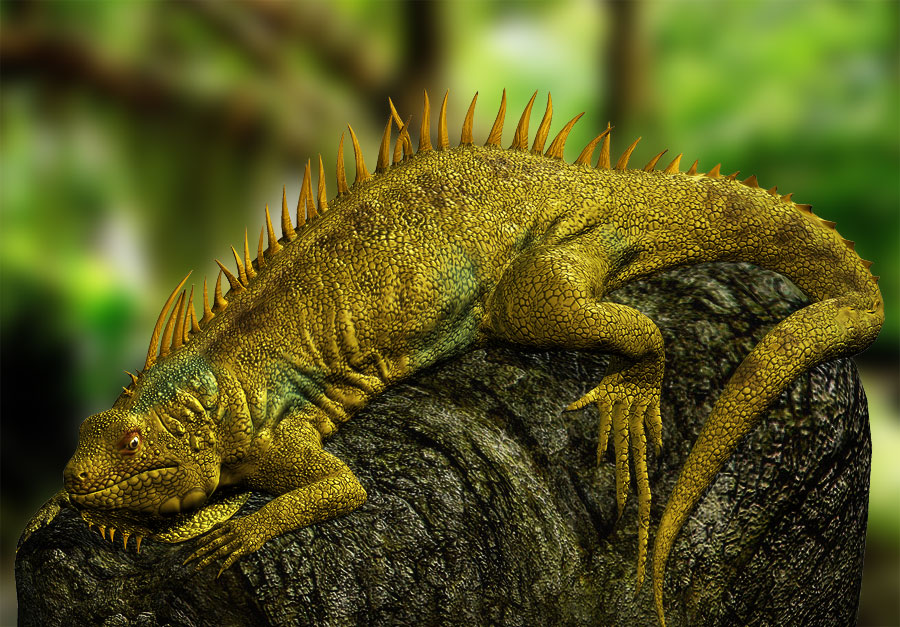
I checked the shadows in the grey render.
They're blending with the color of the stone texture.
Here's another render: (with some minor changes in filling up the scales in earlier vacant areas)
Posted: July 17, 2009
Post subject:
Post subject:
What if you will make the stone not so dark?
Posted: September 01, 2010
Post subject:
Post subject:
This is turning out to be really good.
I think this is on its 90% state.
a few more polishing and it will go to the finish artworks !
nice job!
_________________
My Animation Services
I think this is on its 90% state.
a few more polishing and it will go to the finish artworks !
nice job!
_________________
My Animation Services
Posted: March 09, 2011
Post subject:
Post subject:
Nice WIP and cool final. This thread is dead now?
Posted: March 12, 2011
Post subject:
Post subject:
Nice, keep up the great job! Envious yet happy for you lol
Posted: March 19, 2011
Post subject:
Post subject:
Great model and great texture!
Posted: March 21, 2011
Post subject:
Post subject:
Nice job. MR is my favourite renderer. Did you use some bounces?
Posted: March 27, 2011
Post subject:
Post subject:
Great model and textures. You should try a little animation?
Posted: July 28, 2011
Post subject:
Post subject:
woow!!! looks so real!!! great job!!!
Posted: September 01, 2011
Post subject:
Post subject:
Here's the base model This is turning out to be really good.
Posted: September 08, 2011
Post subject:
Post subject:
Hehe good job ! ... would like to see this animated! how much time to render? a single frame!